Security Engineer’s Guide to MDE & Code Gen
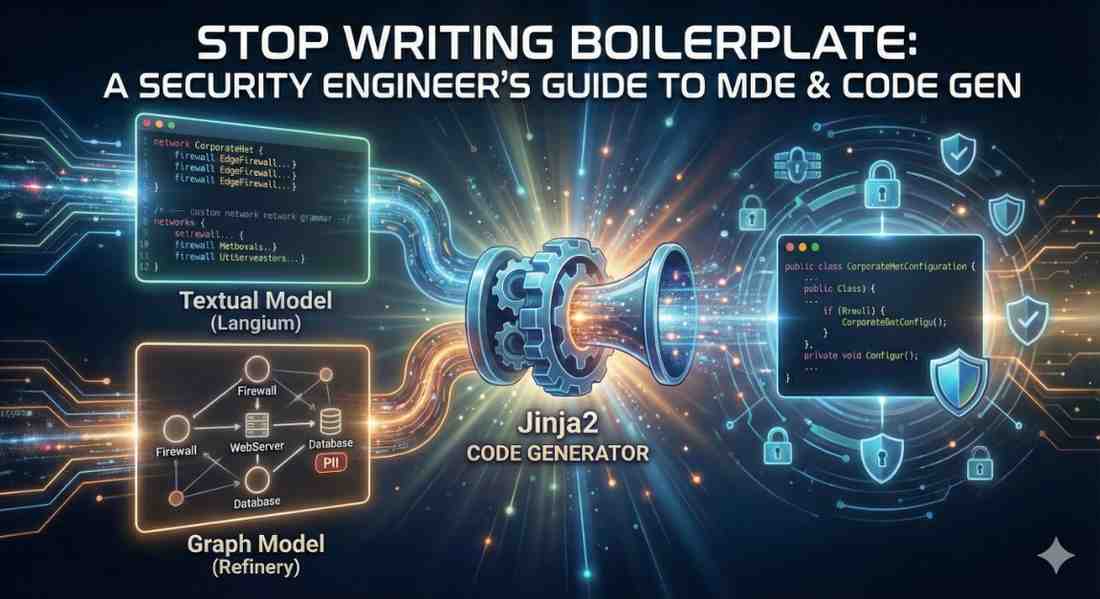
If you are studying software engineering or getting into Application Security, you know the pain of “Boilerplate.” You spend hours writing the same setup code—configuring firewalls, setting up database connections, initializing classes—before you even get to the actual logic.
What if you could draw a diagram of your network (or write a 10-line summary) and have all that Java/Python/Go code appear automatically?
That is Model-Driven Engineering (MDE).
In this post, I will walk you through how to generate code from a Textual Model (using Langium) and explain how the exact same pipeline works for Graph Models (using Refinery). We will use a Network Security example, because nobody wants to manually code 50 firewall rules.
The Big Picture: The “Generator Pipeline”
Code generation isn’t magic; it’s a translation pipeline. It always has three stages:
- The Input: Your model (Text or Graph).
- The Parser: Reads your model into computer memory.
- The Template: A file (like Jinja2) that mixes your data with code snippets.
Let’s build a system that auto-generates a Java configuration for a corporate network.
1. The Input: Defining the Domain (Grammar)
Before we can generate code, we need a language to describe our network. In MDE, this is called the Metamodel or Grammar.
We will use Langium to define a textual language (DSL) where we can say “connect firewall to database” instead of writing valid Java syntax.
The Grammar (Network.langium):
1
2
3
4
5
6
7
8
9
10
11
12
13
14
15
16
17
18
19
20
grammar NetworkDSL

entry Model:
    (tags += SensitiveTag | networks += Network)*;

SensitiveTag: "tag" name=ID;

Network:
    "network" name=ID "{"
        (assets += Asset)* (connections += Connection)*
    "}";

Asset: WebServer | Database | Firewall;

WebServer: "webserver" name=ID;
Firewall:  "firewall"  name=ID;
Database:  "database"  name=ID ("sensitivity" sensitivity=[SensitiveTag])?;

Connection:
    "connect" from=[Asset] "->" to=[Asset];
Notice the Asset rule. It acts like an interface or abstract class. This allows our Connection rule to accept any asset type (from=[Asset]). Understanding this inheritance in your grammar is crucial for modeling complex systems.
2. The Model: Describing the Scenario
Now that we have the language, we can write our scenario. Instead of 200 lines of Java, we write this:
The Model File (corp.net):
1
2
3
4
5
6
7
8
9
10
tag PII

network CorporateNet {
    firewall EdgeFirewall
    webserver PublicWeb
    database UsersDB sensitivity PII

    connect EdgeFirewall -> PublicWeb
    connect PublicWeb -> UsersDB
}
This is readable by humans, but the computer parses it into an Abstract Syntax Tree (AST)—a tree of objects in memory.
3. The Generator: Jinja2 Templates
This is where the code gets built. We use a templating engine (like Jinja2) to iterate over that tree of objects.
The template looks like Java code, but with “holes” that get filled by our model data.
The Template (NetworkConfig.java.j2):
1
2
3
4
5
6
7
8
9
10
11
12
13
14
15
16
17
public class {{ network.name }}Configuration {

    public void configureNetwork() {
        // 1. Initialize Assets
        {% for asset in network.assets %}
        var {{ asset.name }} = new {{ asset.type }}();
        {% if asset.type == 'Database' and asset.sensitivity %}
        {{ asset.name }}.setSecurityLevel("HIGH_CRITICALITY"); // Handle sensitive DBs
        {% endif %}
        {% endfor %}

        // 2. Establish Connections
        {% for conn in network.connections %}
        NetworkManager.connect({{ conn.from.name }}, {{ conn.to.name }});
        {% endfor %}
    }
}
The Result
When we run the build, the engine combines the Model + Template to produce perfectly valid Java code:
1
2
3
4
5
6
7
8
9
10
11
public class CorporateNetConfiguration {
    public void configureNetwork() {
        var EdgeFirewall = new Firewall();
        var PublicWeb = new WebServer();
        var UsersDB = new Database();
        UsersDB.setSecurityLevel("HIGH_CRITICALITY");

        NetworkManager.connect(EdgeFirewall, PublicWeb);
        NetworkManager.connect(PublicWeb, UsersDB);
    }
}
Level Up: Switching to Graph Modeling (Refinery)
What if you don’t want to type the network? What if you want to generate a test case where a network has 50 random servers and you want to ensure no sensitive database is exposed to the internet?
This is where Refinery comes in.
In Langium (Textual), you explicitly write EdgeFirewall. In Refinery (Graph Generation), you write Constraints:
1
2
3
4
5
6
// Refinery Constraint: "Generate a network with no exposed sensitive DBs"
!exists(Database d, WebServer w, Firewall f) {
    hasSensitivity(d, PII).
    connectsTo(f, w).
    connectsTo(w, d).
}
Refinery solves this puzzle and produces a Graph (a visual web of objects).
The Key Takeaway
The Code Generator doesn’t care.
Whether you typed the model in Langium or generated the graph in Refinery, they both export to the same format (e.g., JSON or XMI). You can feed that Refinery output into the exact same Jinja2 template we wrote above.
Summary
- Metamodel/Grammar: Defines the rules (Syntax).
- Model: Defines the specific instance (Data).
- Generator: Maps the instance to code (Semantics).
- Polymorphism: Use abstract rules (like
Asset) to allow flexible connections.
Mastering this pipeline means you are not just a coder; you are a tool builder. You can automate the boring parts of security configs and focus on the architecture.