The Foundation of DevSecOps: Building a Verifiable Pipeline with GitHub Actions
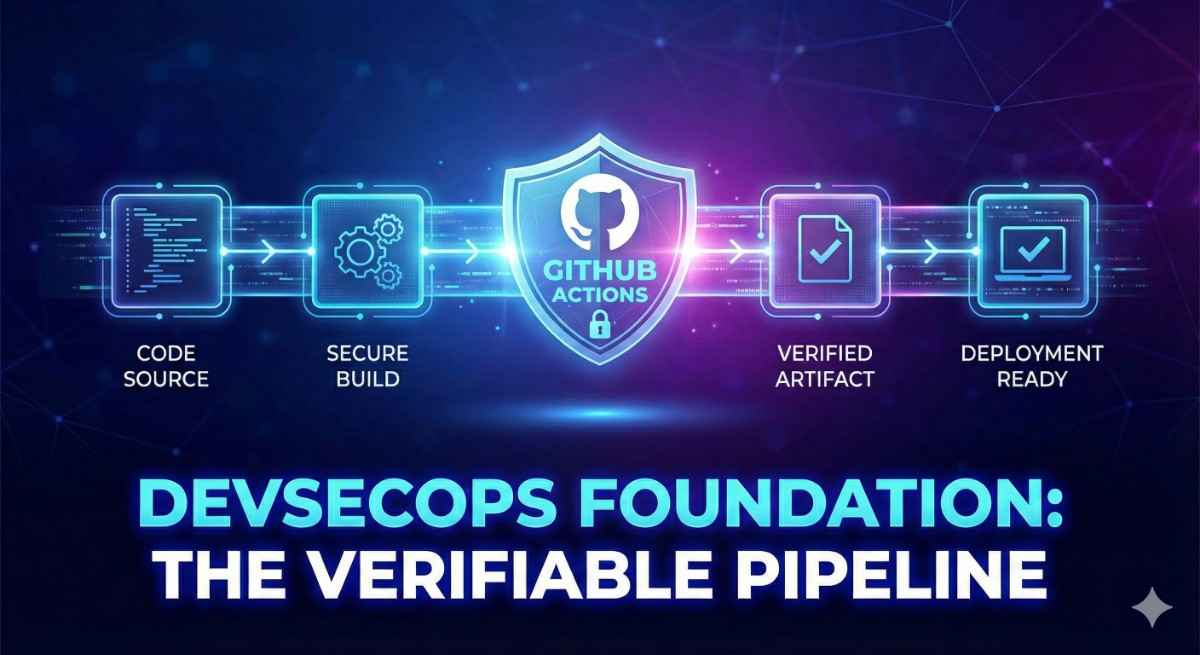
In software engineering and application security, unpredictability is the enemy. If your build process is flaky, manual, or opaque, you cannot guarantee the security of the final product. You cannot effectively integrate SAST (Static Application Security Testing) tools if the build fails half the time, and you can’t trust DAST (Dynamic AST) results if you aren’t sure exactly what binary is being tested.
A reliable Continuous Integration (CI) pipeline is the bedrock of DevSecOps. It transforms code into artifacts in a repeatable, auditable way.
Today, we are going to walk through building a robust GitHub Actions pipeline. We won’t get bogged down in endless configuration options. Instead, we will focus on the critical logic needed for a secure workflow: matrix builds, reliable caching, artifact chain-of-custody, and integrated End-to-End (E2E) testing.
The Goal: A Secure Supply Chain Simulation
We are going to build a pipeline for a standard Java/Gradle application that achieves the following:
- Verifies compilation across multiple operating systems (Linux, Windows, macOS).
- Optimizes performance via intelligent caching (slow pipelines get bypassed by developers).
- Establishes a chain of custody by compiling the artifact once in a secure environment and passing it to a testing environment.
- Validates functionality by booting the actual artifact and running a “smoke test” before declaring success.
The Core Concepts
To build reliably in GitHub Actions without bloat, you need to master three concepts:
1. The Matrix Strategy
As security engineers, we know vulnerabilities often manifest differently on different OS kernels. A matrix build allows us to define a single job configuration and have GitHub spawn multiple, isolated runners to execute it simultaneously on different operating systems.
Why it matters for AppSec: It ensures your security controls and application logic hold up regardless of the deployment target.
2. The Isolation Problem & Artifacts
This is the most critical concept. In GitHub Actions, every job runs on a fresh, isolated virtual machine that is destroyed when the job finishes.
If “Job A” builds a .jar file, and “Job B” needs to test it, Job B cannot see that file. It doesn’t exist on Job B’s hard drive.
To solve this, we use Artifacts.
- The Source: The build job compiles the code and “uploads” the resulting binary to GitHub’s secure storage.
- The Consumer: Subsequent jobs “download” that exact binary.
Why it matters for AppSec: This ensures that the thing you are testing (E2E/DAST) is literally the exact same byte-for-byte file that you built and intend to deploy. It prevents “it worked on my machine” syndrome in deployment.
3. E2E Integration (Testing the Reality)
Unit tests (run during the build) prove your logic is mathematically sound. They do not prove your application actually starts.
An End-to-End integration job takes the artifact, spins it up in a real environment, and pokes it to ensure it’s alive. This is the bridge between code and a running service.
Example Workflow YAML
Here is the complete workflow.yml file. We will break down the essential logic below.
1
2
3
4
5
6
7
8
9
10
11
12
13
14
15
16
17
18
19
20
21
22
23
24
25
26
27
28
29
30
31
32
33
34
35
36
37
38
39
40
41
42
43
44
45
46
47
48
49
50
51
52
53
54
55
56
57
58
59
60
61
62
63
64
65
66
67
68
69
name: Secure CI Pipeline
on:
  push:
    branches: [ main ]

jobs:
  # stage 1: The Build & Unit Test
  build:
    name: Build & Verify
    strategy:
      fail-fast: false # don't cancel workflow because one job failed
      matrix:
        os: [ubuntu-latest, windows-latest, macos-latest]
    runs-on: $
    steps:
      - name: Checkout code
        uses: actions/checkout@v5

      # Setup Java runtime
      - name: Set up JDK 21
        uses: actions/setup-java@v5
        with:
          java-version: 21
          distribution: adopt

      # Sets up Gradle AND handles dependency caching automatically.
      # Drastically speeds up subsequent security scans and builds.
      - name: Setup Gradle
        uses: gradle/actions/setup-gradle@v4

      # Compile code and run unit tests
      - name: Gradle build
        run: ./gradlew build

      # Save the Linux build output securely.
      # We use an 'if' so we only upload one canonical version.
      - name: Upload Artifacts
        if: $
        uses: actions/upload-artifact@v4
        with:
          name: application-binary
          path: **/build/distributions/*.tar

  # stage 2: E2E Integration (The Smoke Test)
  e2e-integration:
    name: E2E Smoke Test
    needs: build  # MUST wait for build to finish
    runs-on: ubuntu-latest
    steps:
      - name: Checkout code (for scripts)
        uses: actions/checkout@v5

      # THE RECEIPT: Download the exact binary created in the previous stage.
      - name: Download Distribution
        uses: actions/download-artifact@v4
        with:
          name: application-binary
          path: dist

      # Prepare the binary (chmod is crucial for Linux execution)
      - name: Extract & Permit
        run: |
          tar -xf dist/*.tar -C dist/
          chmod +x dist/**/bin/*

      # Run the cross-platform E2E script using bash
      - name: Execute Smoke Test
        shell: bash
        run: ./scripts/e2e-integration-test.sh
Breaking Down the Key Security Logic
1. The Caching Accelerator (setup-gradle)
1
 uses: gradle/actions/setup-gradle@v4
Speed is a security feature. If a pipeline takes 20 minutes, developers will bypass it. This single action handles downloading Gradle and, crucially, caching gigabytes of dependencies. The next time the pipeline runs, it restores dependencies in seconds rather than downloading them again.
2. The Artifact Handover (upload/download)
This is the chain of custody mechanism.
In the build job:
1
2
3
4
5
6
 name: Upload Artifacts
 if: $
 uses: actions/upload-artifact@v4
 with:
	 name: application-binary
	 path: #path to your file
We use an if condition here. While we verify the build on all three OSs, we are choosing to treat the Linux build as our “golden artifact” for further testing. It moves the binary out of the transient runner and into secure storage.
In the e2e-integration job:
1
2
3
4
5
needs: build # crucial: defines dependency
# ...
- uses: actions/download-artifact@v4
  with:
     name: application-binary
This retrieves that golden artifact into a totally new environment, ensuring it works outside the machine that built it.
3. The Cross-Platform Shell Script
In the final step, we run a custom script.
1
2
3
- name: Execute Smoke Test
	shell: bash
	run: ./scripts/e2e-integration-test.sh
By specifying shell: bash, we ensure that even if we decided to run this test stage on a Windows runner, it would use Git Bash to execute our .sh script correctly. This standardizes our execution environment across the matrix.
The script itself (which you would check into your repo) should be simple: start the app in the background, poll a health endpoint (like curl localhost:8080/health), and exit with 0 for success or 1 for failure.
Conclusion: The Foundation for DevSecOps
What we have built here is more than just automation; it is a verifiable software supply chain in miniature.
By establishing this reliable foundation, you can now easily plug in security tools:
- Add a SAST step (like Semgrep or SonarQube) after the
checkoutstep in the Build job. - Add a DAST step (like OWASP ZAP) in the E2E job, targeting the application while it is running in the background.
Security tools require a stable environment to run effectively. This GitHub Actions workflow provides exactly that.
Appendix: The Essential GitHub Actions Vocabulary
| Keyword | Purpose | In Plain English |
|---|---|---|
on | The Trigger | “Start this pipeline when…” (e.g., push, pull_request, schedule). |
jobs | The Containers | “Here is a list of separate computers/environments I want to spin up.” |
runs-on | The OS | “Which operating system should this specific job use?” (e.g., ubuntu-latest, windows-latest). |
steps | The Sequence | “Do these things one by one, in this exact order, on this computer.” |
uses | Community Code | “Don’t reinvent the wheel—download and run a script someone else wrote” (e.g., checkout, setup-java). |
run | Custom Command | “Open the terminal and execute this specific shell command.” |
needs | Dependency | “Don’t start this job until that job has finished successfully.” (Connects the chain). |
matrix | Multiplication | “Run this exact same job 3 times in parallel, but change one variable (like the OS) each time.” |
if | Conditional | “Only run this step if this specific condition is true” (e.g., if: github.ref == 'refs/heads/main'). |
env | Variables | “Set these global variables so I don’t have to hardcode paths or settings.” |